


Presentation editor
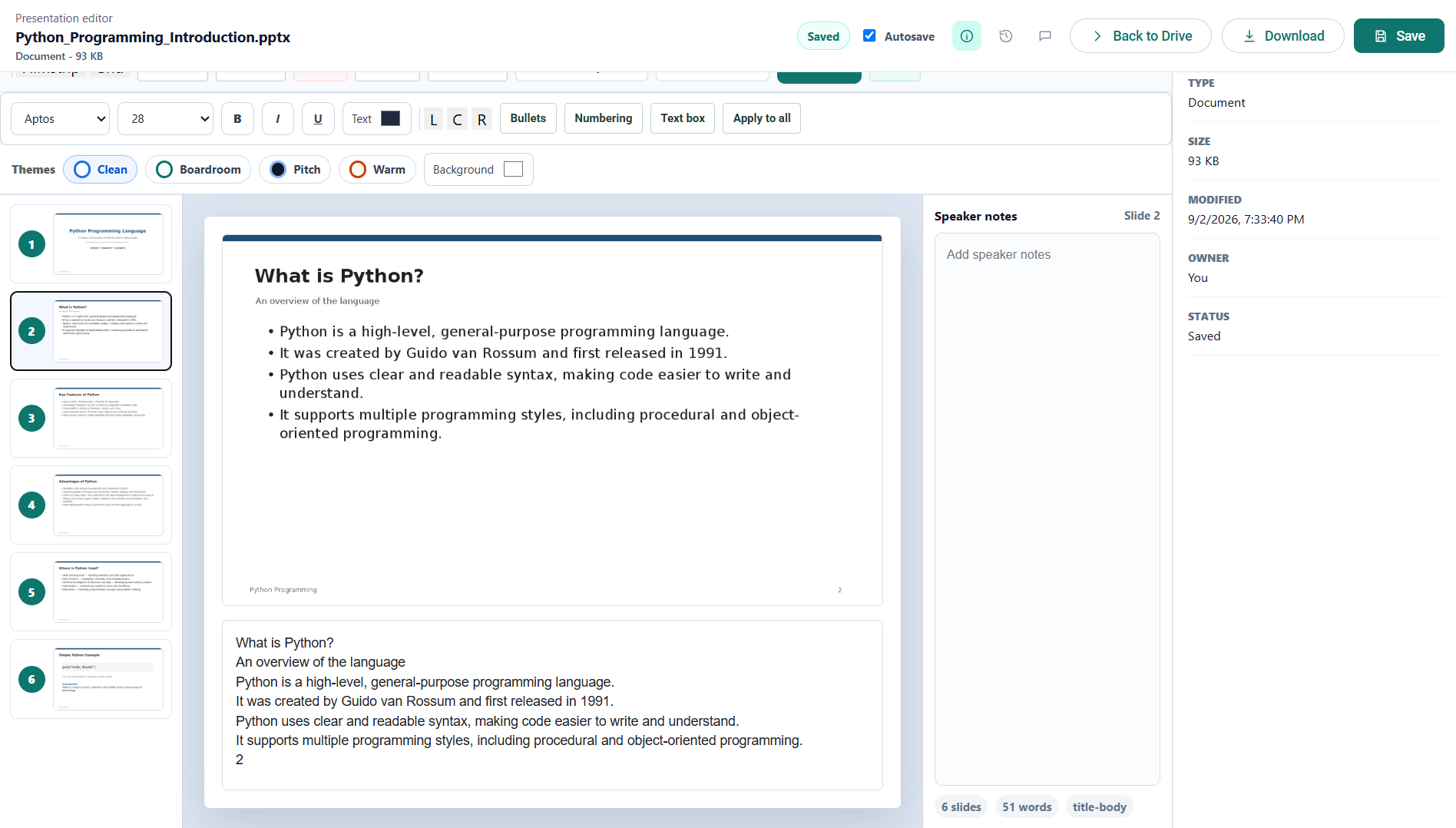
PowerPoint decks (.pptx) open in a slide editor with layouts, reordering, speaker notes, and a full-screen present mode.
Managing slides
| Button | What it does |
|---|---|
| New slide | Adds a slide after the current one. |
| Duplicate | Copies the current slide. |
| Delete | Removes the current slide — disabled when only one remains. |
| Move up / Move down | Reorders the current slide. |
Slide layouts
The layout dropdown (also the Slide menu) offers four arrangements:
- Title and body — a heading with content beneath it.
- Title — a title-only slide.
- Section header — a divider between parts of the deck.
- Blank — an empty canvas.
Formatting slide text
The second toolbar formats whatever is selected on the slide: font (Aptos, Arial, Calibri, Georgia, Times New Roman, Verdana), font size, bold, italic, underline, text and fill colours, alignment, and bulleted or numbered lists. Insert → Text box adds a new text area.
Speaker notes
View → Speaker notes (or Tools → Speaker notes) opens the notes area for the current slide.
Present mode
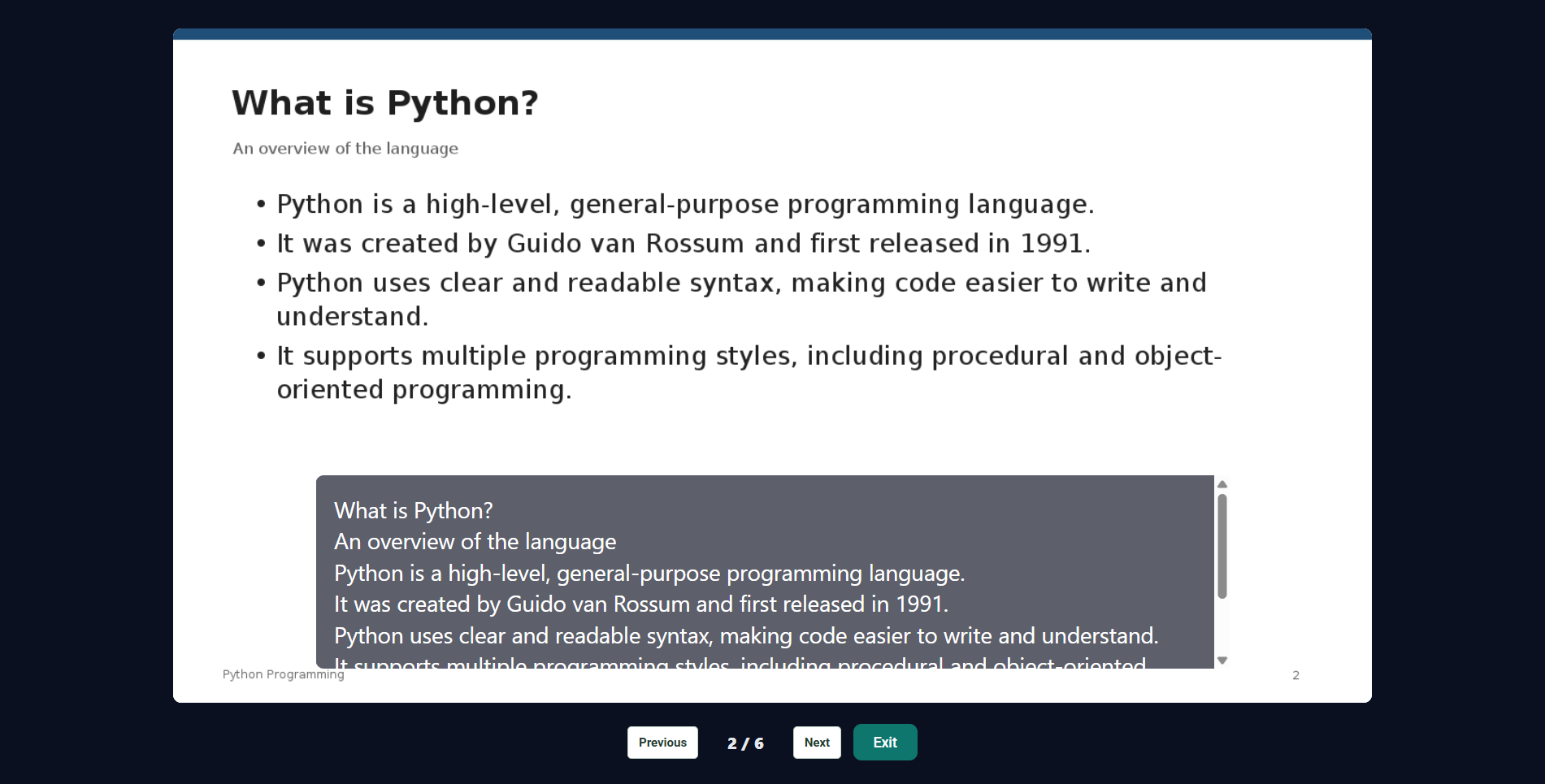
Present fills the screen with the current slide and gives you Previous and Next controls plus a slide counter. Exit returns you to editing. Present is also on the File and View menus.
Templates
Insert → Pitch deck template and Insert → Report deck template create a starting structure of slides.
Common questions
Can I edit a PowerPoint presentation online?
Yes. Open a .pptx from Drive and choose Edit. Slides, text and speaker notes are all editable in the browser, with nothing to install.
Does the deck stay a .pptx file?
Yes. The editor saves back in the same format it opened, so the presentation stays a PowerPoint file and opens in PowerPoint, Keynote or Google Slides afterwards.