


Accounts and sign-in
NevTan Drive uses your NevTan account. The same credentials sign you in to Mail, Sign, Cloud, Engage, Calendar, Keep, and Tasks.
Creating an account
Go to /signup and provide your full name, email address, and a password. The form checks four things before it submits:
- Your name is not empty.
- The email address is a valid address.
- The password is at least 8 characters.
- Both password fields match.
Sign-up does not sign you in. NevTan emails a verification link first, and the account cannot be used until that link is followed. If the email does not arrive, select Resend verification email.
Signing in
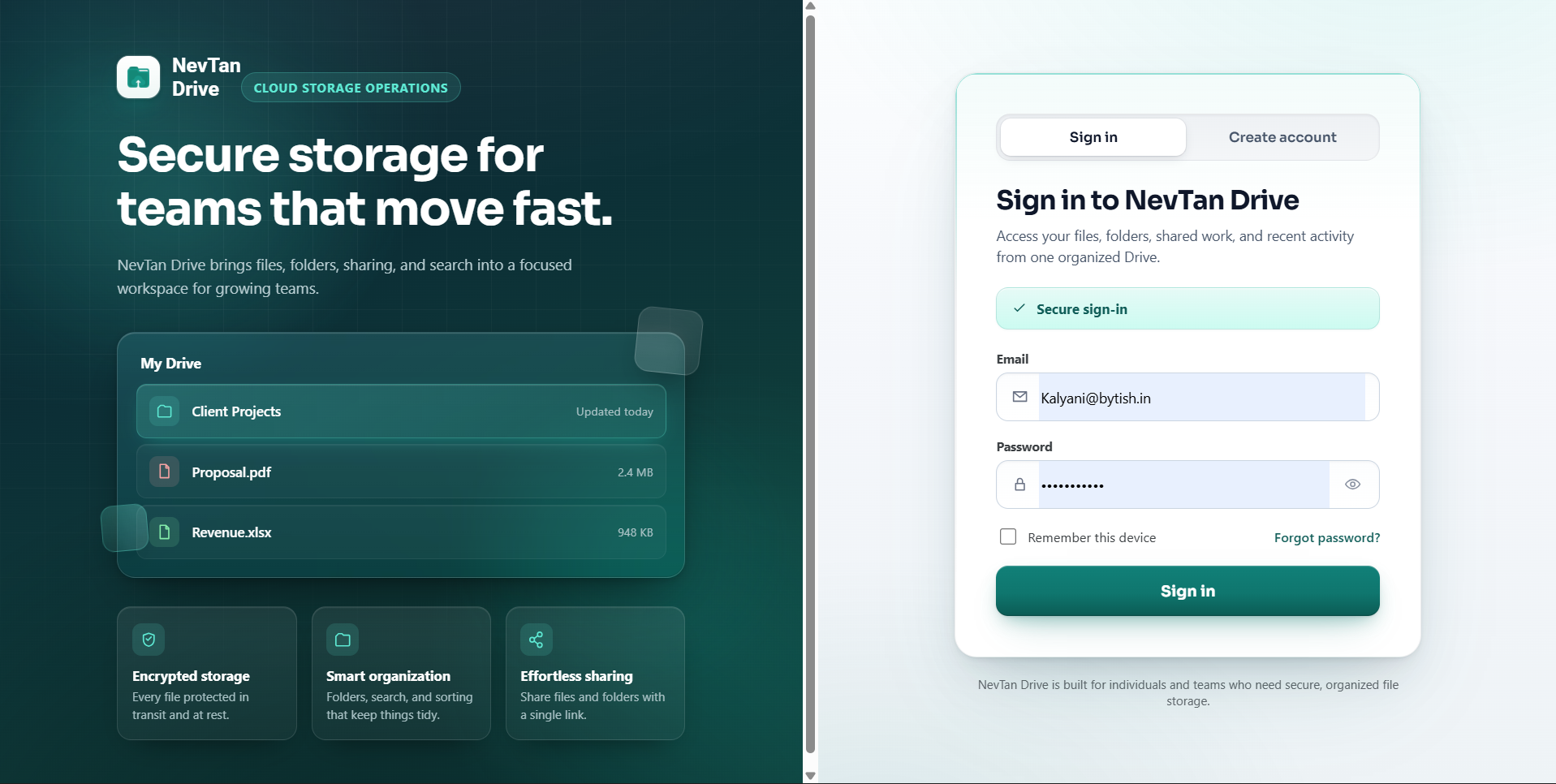
Go to /login, enter your email and password, and select Sign in. Use the eye icon inside the password field to check what you typed.
- Remember this device keeps you signed in on that browser. Leave it off on shared or public computers.
- If you were sent to the sign-in page from somewhere else in Drive, you are returned to that exact page after signing in.
Resetting a forgotten password
- Select Forgot password?The link sits next to the Remember this device checkbox on the sign-in form.
- Enter your emailNevTan sends a password reset link to that address if an account exists for it.
- Follow the linkIt opens a reset page where you choose a new password and confirm it.
- Sign in againUse the new password on
/login.
Your account menu
The circular avatar at the far right of the top bar shows the first letter of your email address. Select it to see the account you are signed in as, your name, and a Sign out link.
Single sign-on across NevTan
Signing in to any NevTan product signs you in to the others. The reverse is also true: signing out of one NevTan app signs you out of Drive. Drive notices a session that ended elsewhere within about a minute, or as soon as you switch back to the Drive tab, and returns you to the sign-in page.
Common questions
Why can I not sign in to my new account?
Accounts must be verified before they can be used. If you try to sign in before following the verification link, Drive tells you the address still needs verifying and offers a Resend verification email button on the sign-in form itself.
How do I reset a forgotten password?
Select Forgot password? on the sign-in form, next to the Remember this device checkbox. NevTan emails a reset link to that address if an account exists for it; the link opens a page where you choose and confirm a new password, then sign in again at /login.
What does "Your session has expired" mean?
It means your access token could not be renewed — most often because you signed out of another NevTan app, since one session covers the whole suite. Sign in again. Nothing is lost, and any file you saved before that point is safe.